> ## Documentation Index
> Fetch the complete documentation index at: https://help.useodin.com/llms.txt
> Use this file to discover all available pages before exploring further.
# Pull custom reports
> Generate and download workforce, compliance, and safety reports from the reports library
Odin's reports library provides pre-built reports for tracking workforce activity, access history, compliance, and safety credentials across your jobsite. The library is continuously expanding as new reports are added based on customer needs.
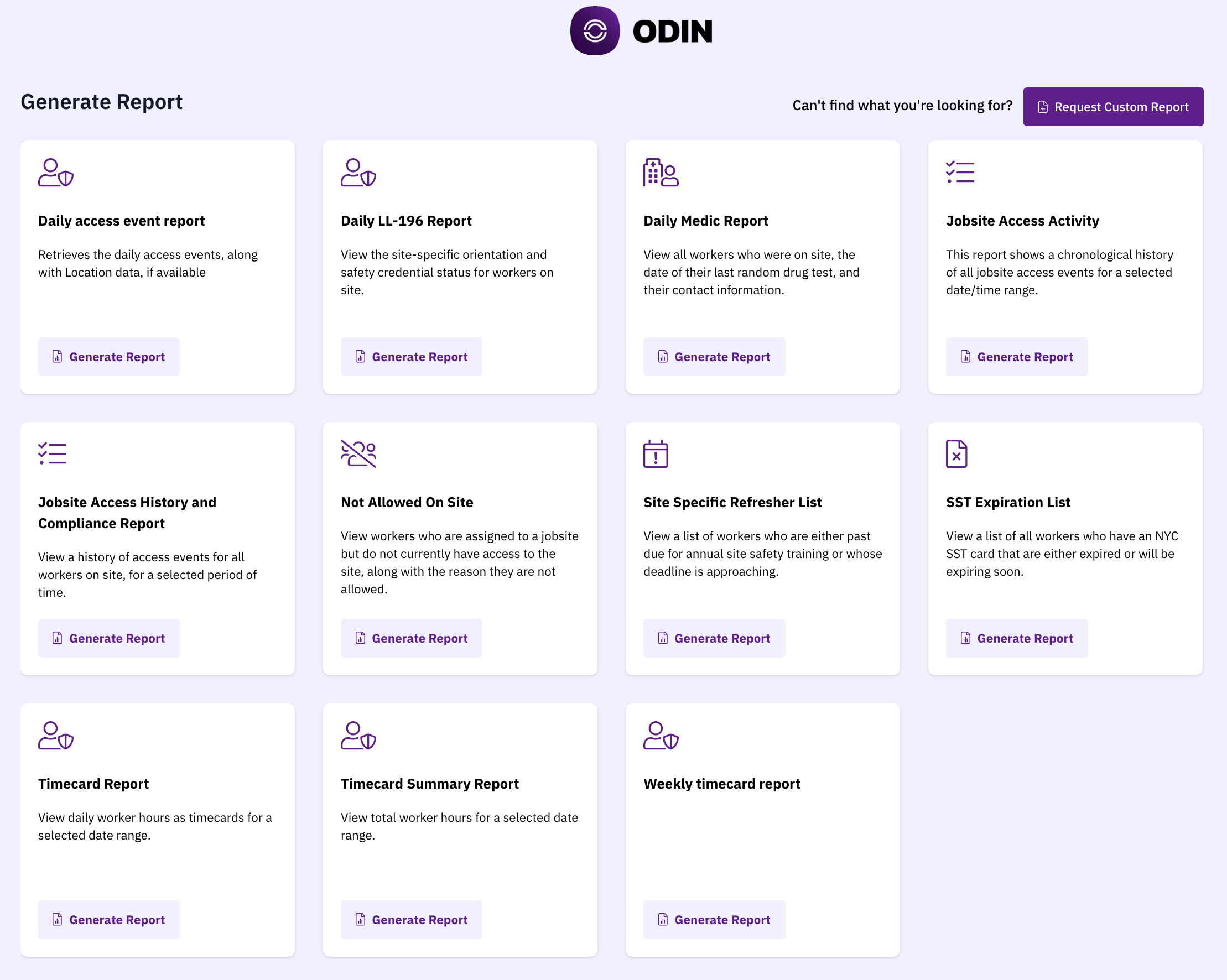 Navigate to **Reports** in the main navigation to access the library. Below are some of the reports available today:
* **Jobsite Access Activity** — view a chronological history of all access events, including badge swipes, check-ins, and denied entries, for a selected date and time range.
* **Daily Access Event Report** — view daily access events along with location data, if available.
* **Jobsite Access History and Compliance Report** — view a history of access events for all workers on site over a selected period, with compliance context such as denial reasons and credential status.
* **Not Allowed on Site** — view workers who are assigned to your jobsite but do not currently have access, along with the specific reason, such as an expired credential, missing training, or an administrative action.
* **Site Specific Refresher List** — view workers who are past due or approaching their deadline for annual site-specific safety refresher training.
* **Daily Medic Report** — view all workers who were on site, the date of their last random drug test, and their contact information.
* **Daily LL-196 Report** — view site safety training (SST) card status and site-specific orientation compliance for workers on site. Required for NYC construction sites under Local Law 196.
* **SST Expiration List** — view all workers with an NYC SST card that is either expired or expiring soon. Specific to NYC construction sites.
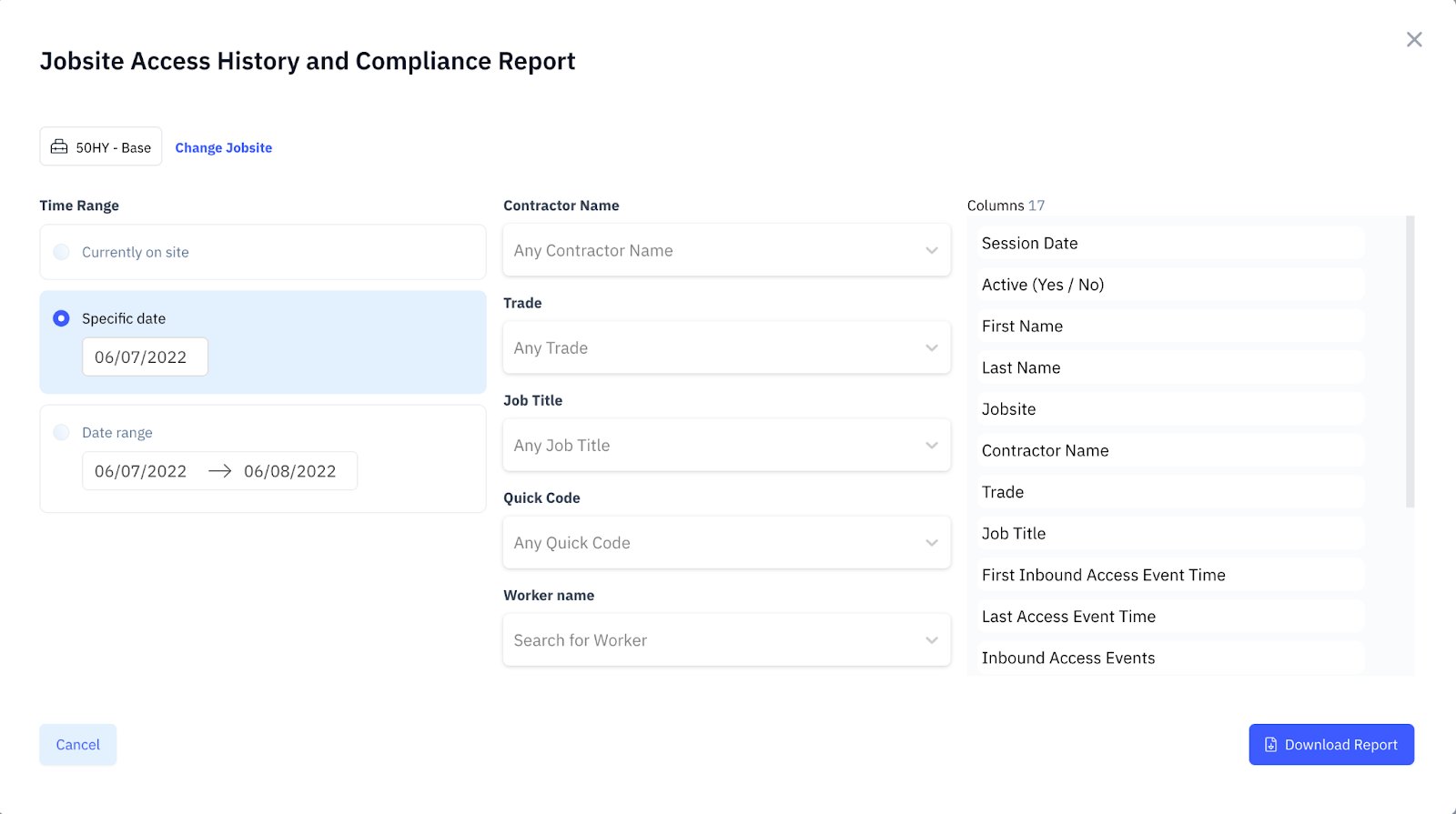
Each report can be filtered by date range, contractor, trade, job title, quick code, or worker name. Select your filters and click **Generate Report**.
Navigate to **Reports** in the main navigation to access the library. Below are some of the reports available today:
* **Jobsite Access Activity** — view a chronological history of all access events, including badge swipes, check-ins, and denied entries, for a selected date and time range.
* **Daily Access Event Report** — view daily access events along with location data, if available.
* **Jobsite Access History and Compliance Report** — view a history of access events for all workers on site over a selected period, with compliance context such as denial reasons and credential status.
* **Not Allowed on Site** — view workers who are assigned to your jobsite but do not currently have access, along with the specific reason, such as an expired credential, missing training, or an administrative action.
* **Site Specific Refresher List** — view workers who are past due or approaching their deadline for annual site-specific safety refresher training.
* **Daily Medic Report** — view all workers who were on site, the date of their last random drug test, and their contact information.
* **Daily LL-196 Report** — view site safety training (SST) card status and site-specific orientation compliance for workers on site. Required for NYC construction sites under Local Law 196.
* **SST Expiration List** — view all workers with an NYC SST card that is either expired or expiring soon. Specific to NYC construction sites.
Each report can be filtered by date range, contractor, trade, job title, quick code, or worker name. Select your filters and click **Generate Report**.
 ## Request a custom report
If you need a report that isn't available in the library, select **Request Custom Report** to submit a request.
## Request a custom report
If you need a report that isn't available in the library, select **Request Custom Report** to submit a request.