> ## Documentation Index
> Fetch the complete documentation index at: https://help.useodin.com/llms.txt
> Use this file to discover all available pages before exploring further.
# Review an onboarding
> How to review a worker's submitted onboarding information and complete the onboarding process
After a worker is onboarded — whether through [self-onboarding](/onboard-workers/self-onboarding-workflow) or [manual onboarding](/onboard-workers/manual-onboarding-workflow) — their information may need to be reviewed before onboarding is marked complete. During the review, a supervisor verifies the worker's details, adds anything missing, and marks each section complete.
Reviewing and completing a worker's onboarding requires one of the following roles: Jobsite Admin, Site Safety Manager, Security Supervisor, Security, Medic Supervisor, or Editor.
## Track onboarding progress
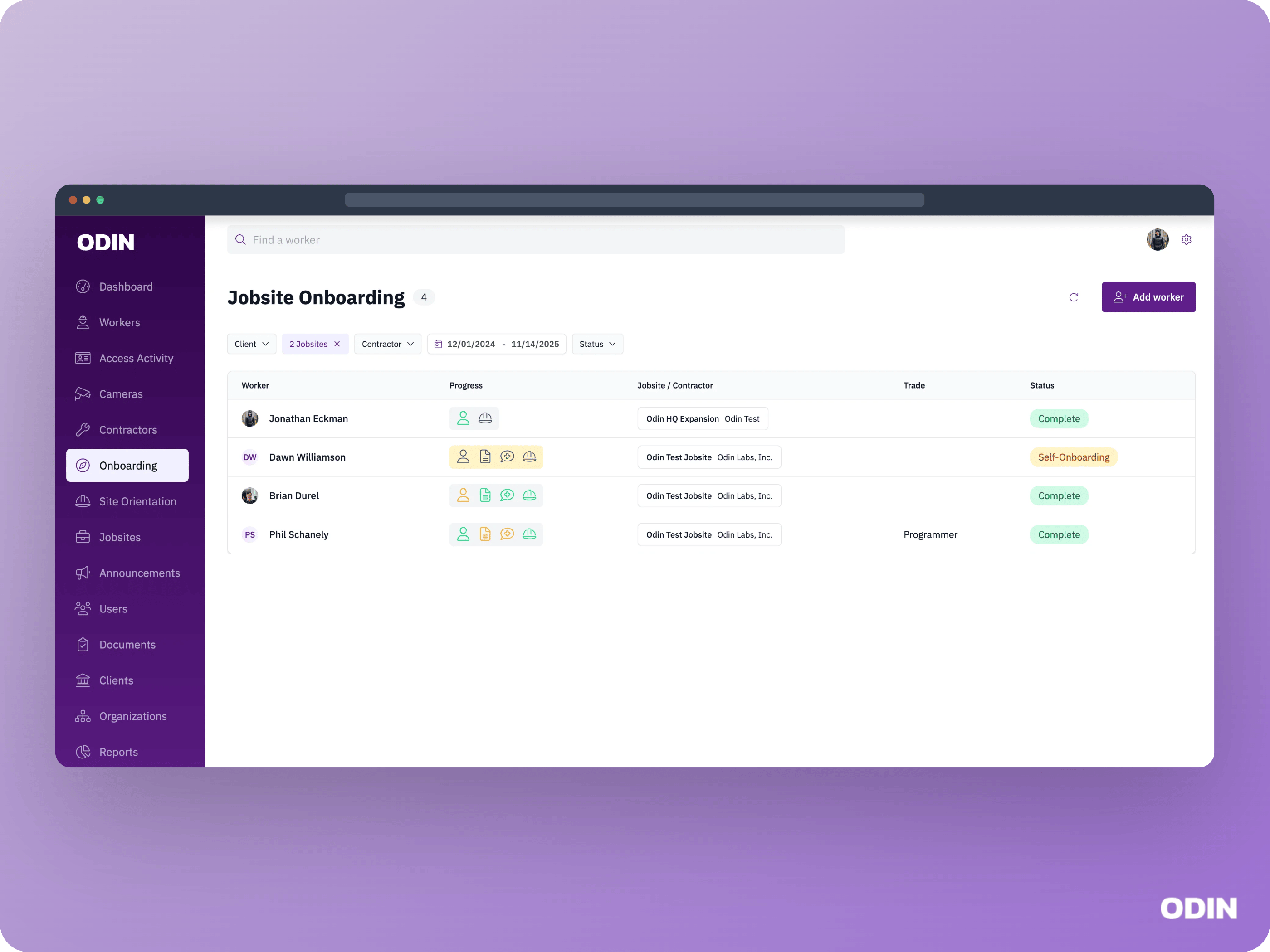
Use the onboarding screen to see all workers who are currently onboarding and those who have already finished.
 ## Review and complete an onboarding
When a worker's onboarding is ready for review, it appears with a status of **Not started** in the review screen. To complete onboarding, review each section, correct or add additional info the worker did not provide, then click **Save and Complete**.
The Save and Complete button must be clicked to complete the review of each onboarding section, even if no changes were made.
## Skip the review
Onboarding review is required by default. If your jobsite is configured to auto-complete, onboarding will automatically move to the **Complete** status once the worker's information is submitted, skipping the review step entirely. Contact [Odin support](/support/customer-support) if you need to adjust this setting.
## Review step examples
Depending on your [onboarding design](/onboard-workers/customizing-onboarding), you may see sections like the following during the review.
### Personal information
Review the worker's personal details such as address, citizenship status, and contractor assignment. The fields shown depend on your jobsite's configuration.
### Onboarding video acknowledgements
## Review and complete an onboarding
When a worker's onboarding is ready for review, it appears with a status of **Not started** in the review screen. To complete onboarding, review each section, correct or add additional info the worker did not provide, then click **Save and Complete**.
The Save and Complete button must be clicked to complete the review of each onboarding section, even if no changes were made.
## Skip the review
Onboarding review is required by default. If your jobsite is configured to auto-complete, onboarding will automatically move to the **Complete** status once the worker's information is submitted, skipping the review step entirely. Contact [Odin support](/support/customer-support) if you need to adjust this setting.
## Review step examples
Depending on your [onboarding design](/onboard-workers/customizing-onboarding), you may see sections like the following during the review.
### Personal information
Review the worker's personal details such as address, citizenship status, and contractor assignment. The fields shown depend on your jobsite's configuration.
### Onboarding video acknowledgements
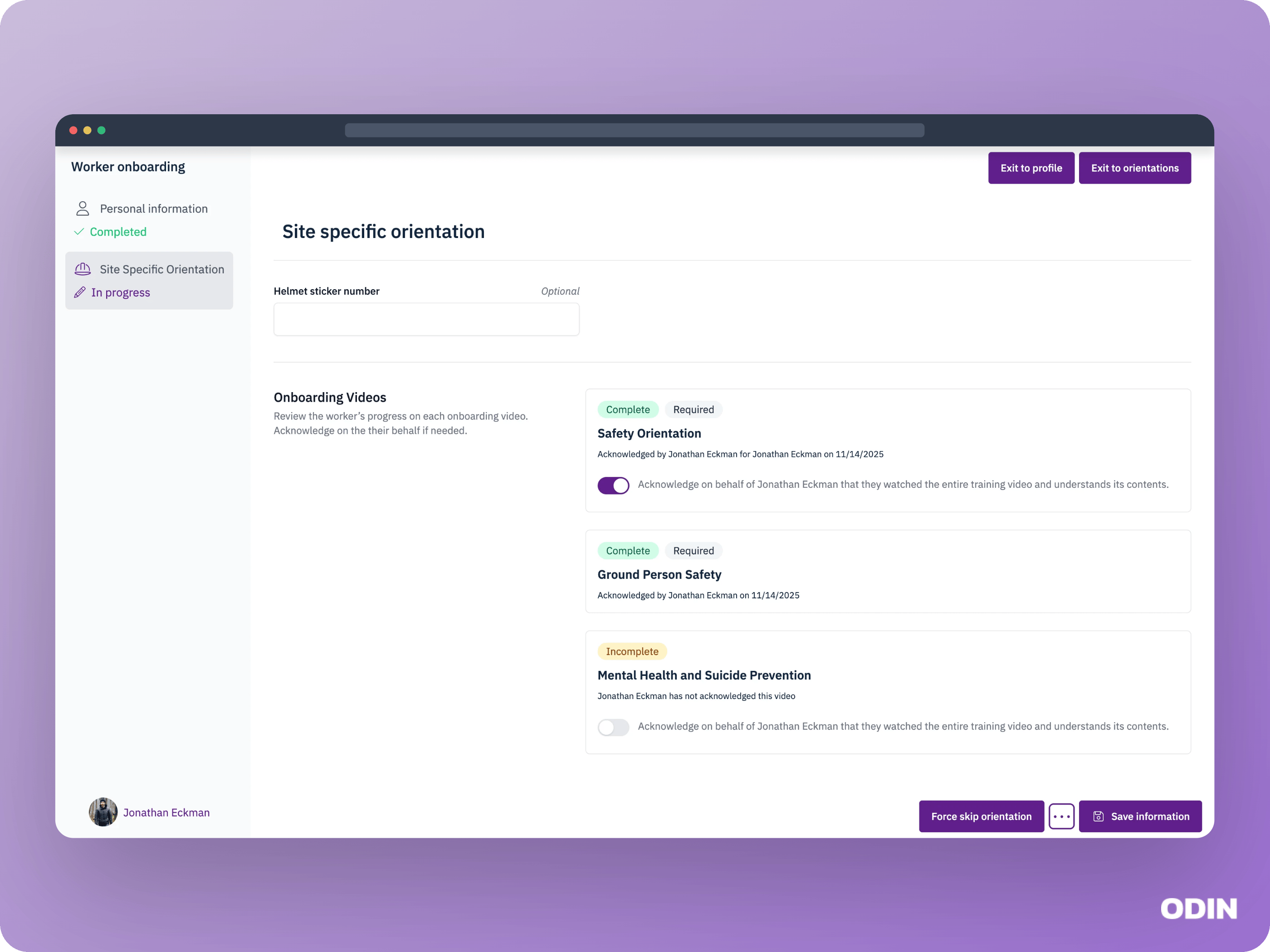 Review the worker's acknowledgment status for each onboarding video. You may see the following:
1. The worker has acknowledged the video. No action is needed.
2. The worker has not acknowledged a required video. You can acknowledge it on their behalf to complete onboarding.
3. The worker has not acknowledged an optional video. You can acknowledge it on their behalf or leave it as is to complete onboarding.
Review the worker's acknowledgment status for each onboarding video. You may see the following:
1. The worker has acknowledged the video. No action is needed.
2. The worker has not acknowledged a required video. You can acknowledge it on their behalf to complete onboarding.
3. The worker has not acknowledged an optional video. You can acknowledge it on their behalf or leave it as is to complete onboarding.