> ## Documentation Index
> Fetch the complete documentation index at: https://help.useodin.com/llms.txt
> Use this file to discover all available pages before exploring further.
# Design your onboarding
> Understand the onboarding settings that can be configured for each jobsite
The onboarding process is highly configurable per jobsite. During project kickoff, you work with your CSM on the [Odin support](/support/customer-support) team to design your onboarding workflow. Your CSM then builds out the configuration based on that design.
Settings that can be configured include:
* **Worker information** — Which personal and site-specific fields to collect, and whether each field is visible, required, or optional
* **Document collection** — Which documents to collect, such as OSHA cards, government IDs, and site-specific orientation acknowledgements
* **Onboarding videos** — One or more videos the worker must watch and acknowledge, with language-specific versions available
* **Drug testing and medical** — Drug test and medical examination requirements
* **Badging and credentialing** — Badge assignment and credential verification during onboarding
* **Site access rules** — Whether to grant or deny site access based on whether the worker has provided specific information or completed required steps
* **Workflow structure** — Whether onboarding review is required or can auto-complete, and whether contractor selection is enforced during self-onboarding
Contact [Odin support](/support/customer-support) if you need to adjust your jobsite's onboarding configuration after kickoff.
## Onboarding step examples
Depending on your configuration, workers may see steps like these during self-onboarding.
### Personal information
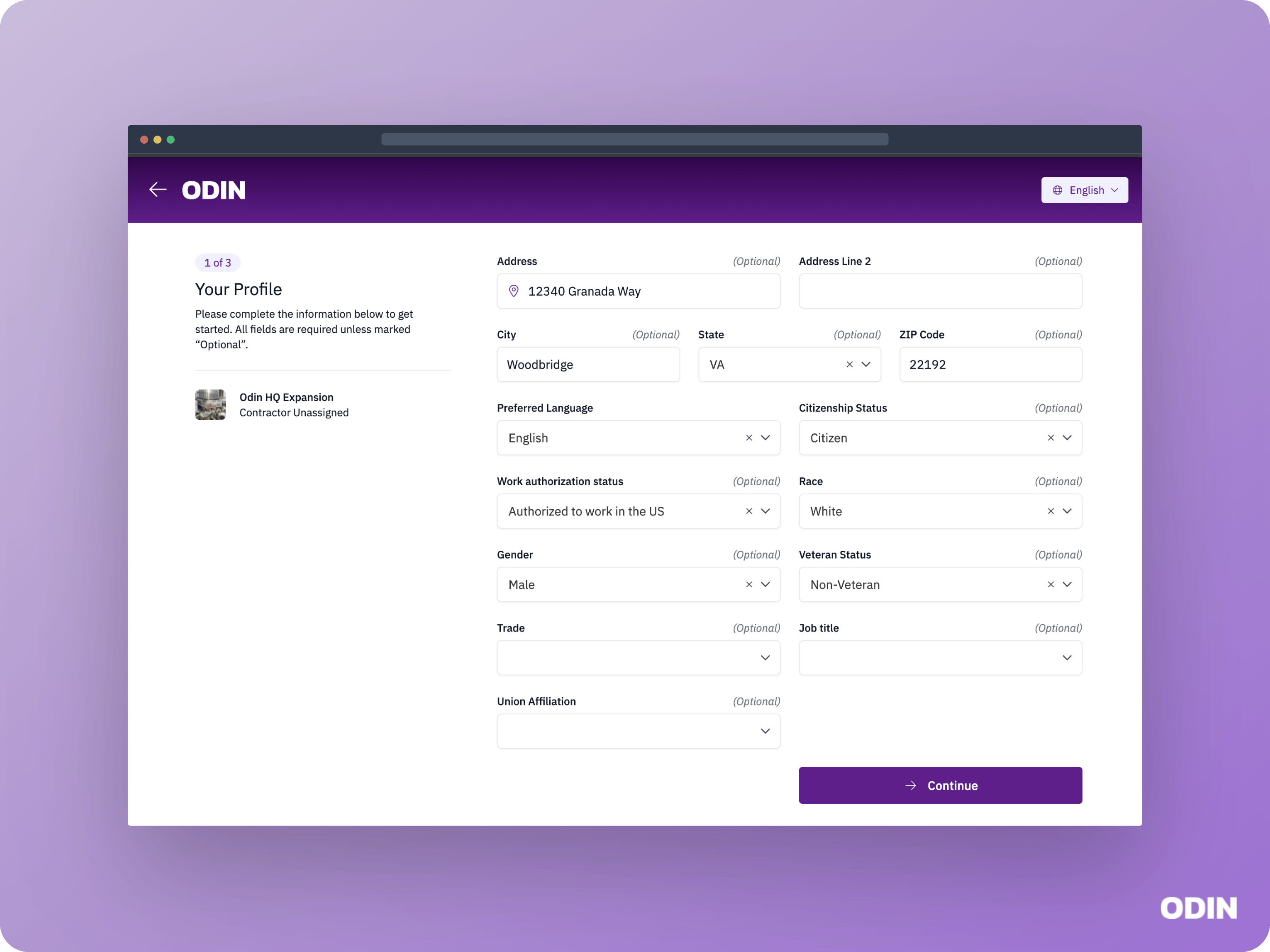 The **Profile** step collects personal details such as address, citizenship status, and gender. The visibility and required or optional status of each field is configured per jobsite.
### Emergency contact
The **Profile** step collects personal details such as address, citizenship status, and gender. The visibility and required or optional status of each field is configured per jobsite.
### Emergency contact
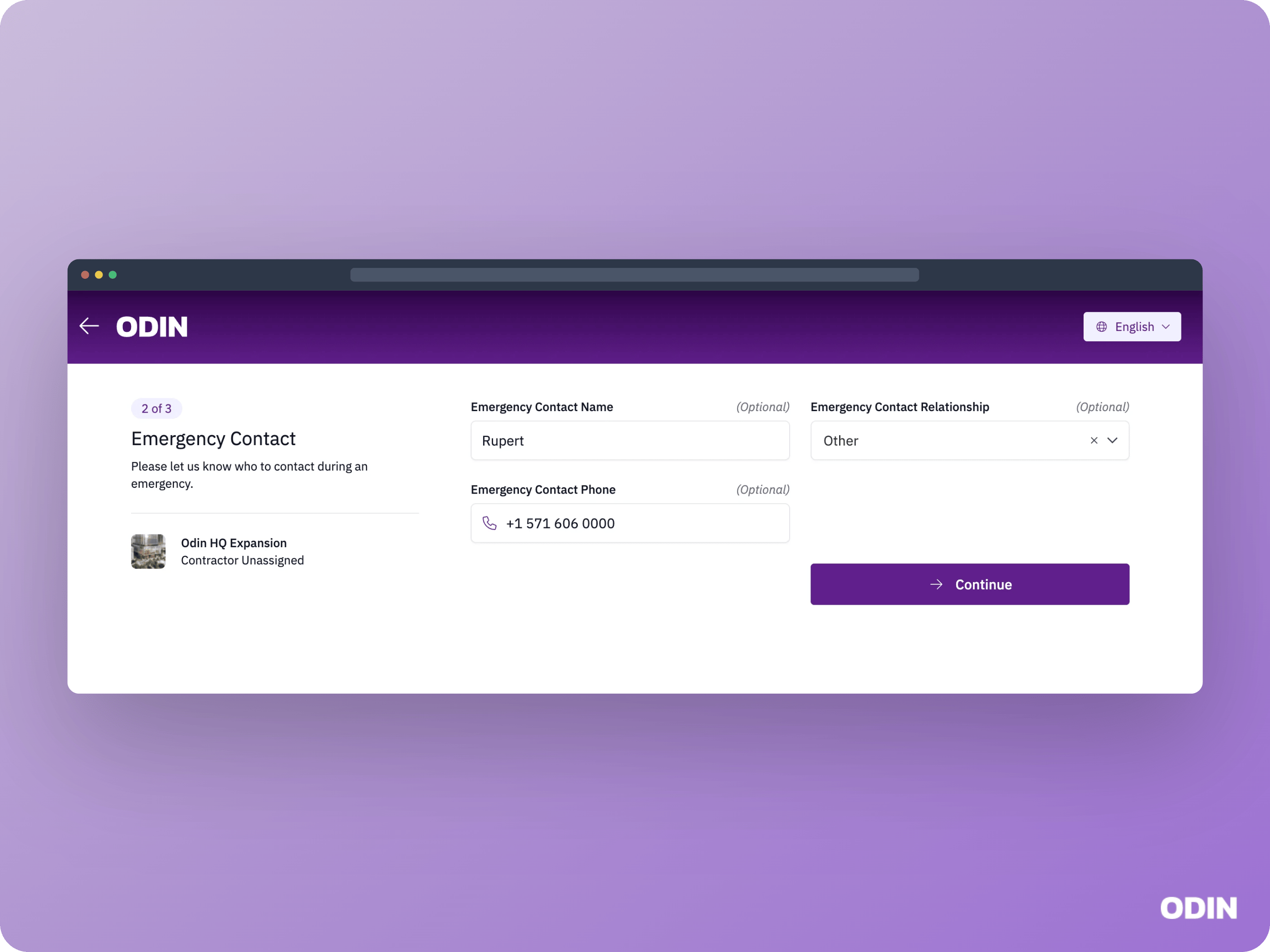 The **Emergency Contact** step collects the worker's emergency contact name, relationship, and phone number.
### Onboarding videos
The **Emergency Contact** step collects the worker's emergency contact name, relationship, and phone number.
### Onboarding videos
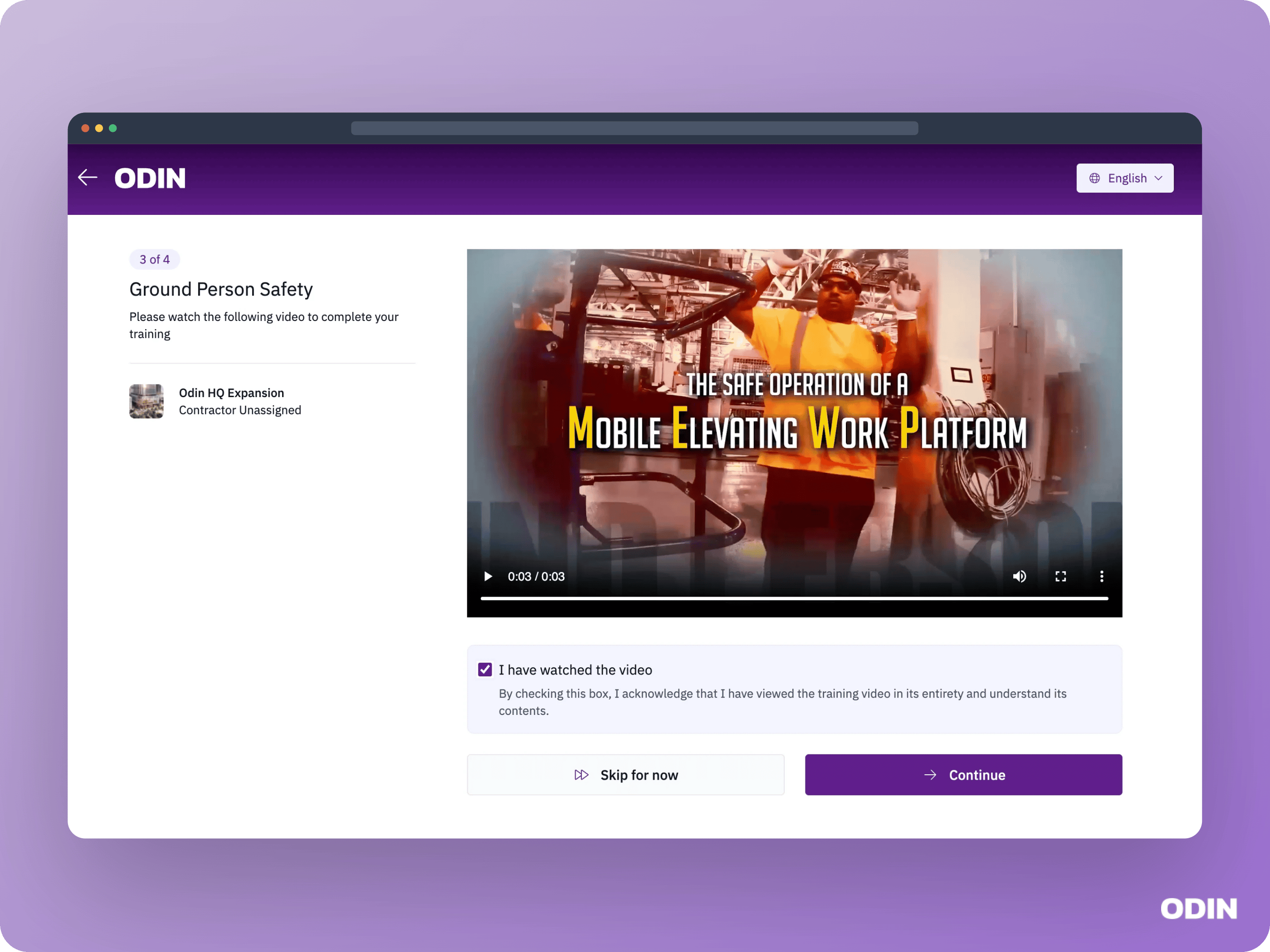 Workers see a separate onboarding step for every video configured for the jobsite. They must finish the video before they can confirm they have watched and understand it. Videos may be required or optional, and may include language-specific versions.
### Profile picture
Workers see a separate onboarding step for every video configured for the jobsite. They must finish the video before they can confirm they have watched and understand it. Videos may be required or optional, and may include language-specific versions.
### Profile picture
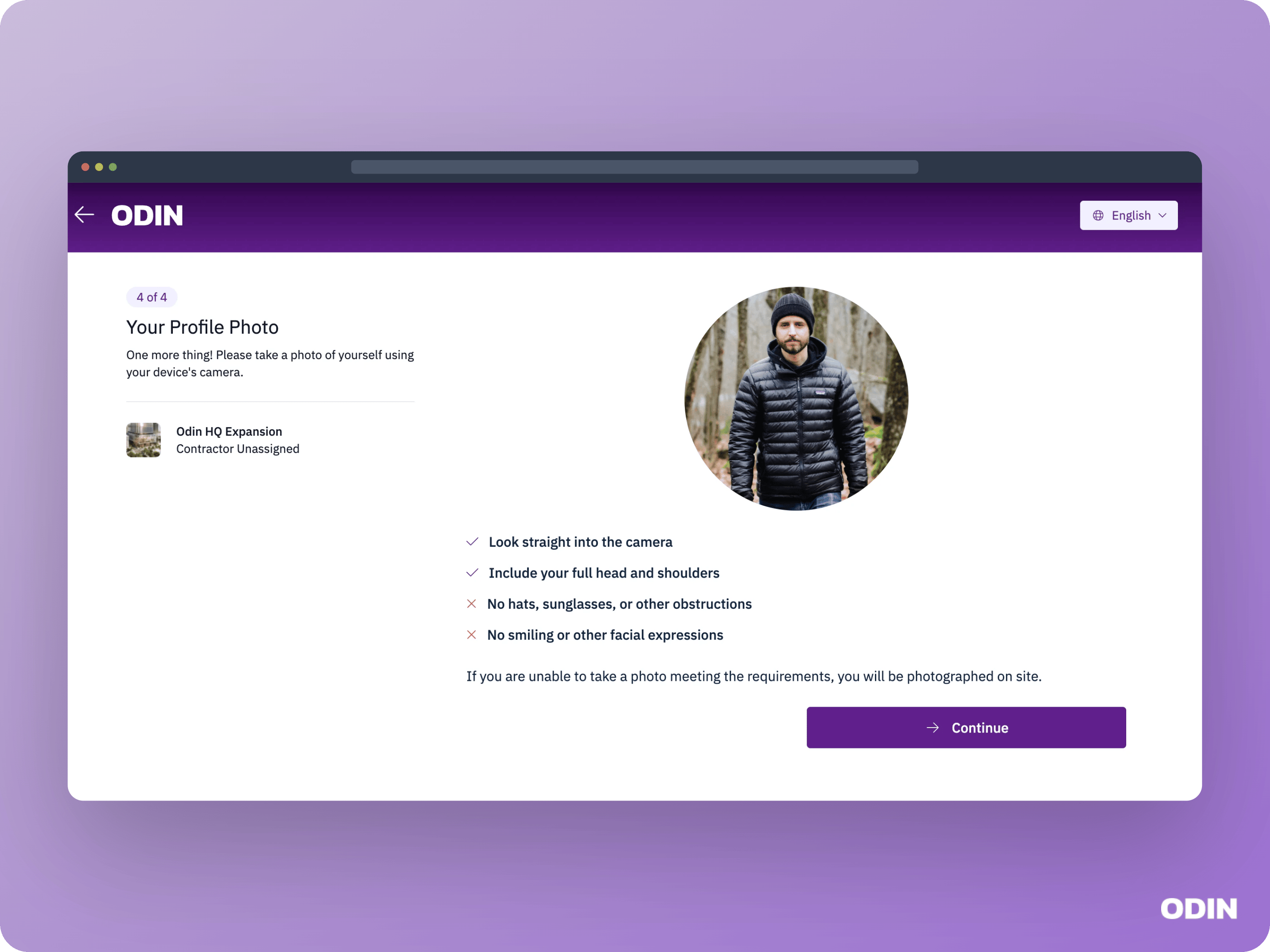 Workers provide a profile photo used in the app, for badge printing, and for facial recognition enrollment.